Case Study · Dell IntelliAssist · Dell Technologies

I built a GEN-AI sales chat that replaced six tools with one verified-answer interface.

Dell sales reps were losing hours every week jumping between platforms to assemble a single answer. IntelliAssist consolidates product info, order data, and sales playbooks into one conversational interface, with verified answers and the underlying sources surfaced for review.

Shipped · 2023 GenAI Conversational UI Enterprise SaaS Sales Enablement
The Challenge

Dell sales reps were losing hours every week jumping between platforms to answer customer questions, find product info, or check order status. The information was there. Finding it was the problem.

The Solution

IntelliAssist, a GEN-AI chat interface that consolidates six+ tools into one place. Users ask in natural language and get verified answers with sources attached, so they can trust what they read and move on.
10,000+
Users
across Dell sales teams
6+
Services in one interface
consolidated into a single chat
85
SUS Score
post-launch usability survey
IntelliAssist hero screen showing the AI chat interface with Dell branding
IntelliAssist, an AI chat interface designed for Dell's sales teams

Role

Senior Product Designerend-to-end design, research, prototyping

Team

Dell Technologies1 PM, 6 engineers, 1 designer (me)

Timeline

6 monthsdiscovery through MVP launch, 2023

Tools

Figma · Miro · UserTestingSME sessions, SUS survey post-launch
Note: names, workflow details, and screen interfaces have been modified to maintain Dell's confidentiality.
Snapshot

The short version.

If you only read three paragraphs, read these. Problem, change, and results in about a minute.

Problem

Dell sales reps relied on at least six platforms to answer customer questions, knowledge base, order systems, support docs, internal wikis, ticketing tools, and product spec sheets. A single question often meant three or four context switches on every call.

Change

I built a GEN-AI chat interface that lets reps ask questions in plain language and get verified answers, with the underlying sources surfaced. Six platforms collapsed into one conversational surface, and the citation pattern carried the trust, not just the model.

Results

10,000+ Dell sales reps adopted the tool. Six+ platforms consolidated into one surface. The post-launch usability survey landed an 85 SUS, validating that reps could find, trust, and act on answers without leaving the chat.

Problem area

Information was everywhere except where it was needed.

Dell sales reps needed verified answers about orders, product specs, and policy in the middle of customer calls. But the answers lived across at least six platforms: a knowledge base, order systems, support docs, internal wikis, ticketing tools, and product spec sheets. Reps context-switched three or four times for a single question, slowing response times and pushing edge cases onto teammates. The goal: unify the answer layer into one conversational interface with sources attached, so the workflow could trust the AI instead of routing around it.

What & Why

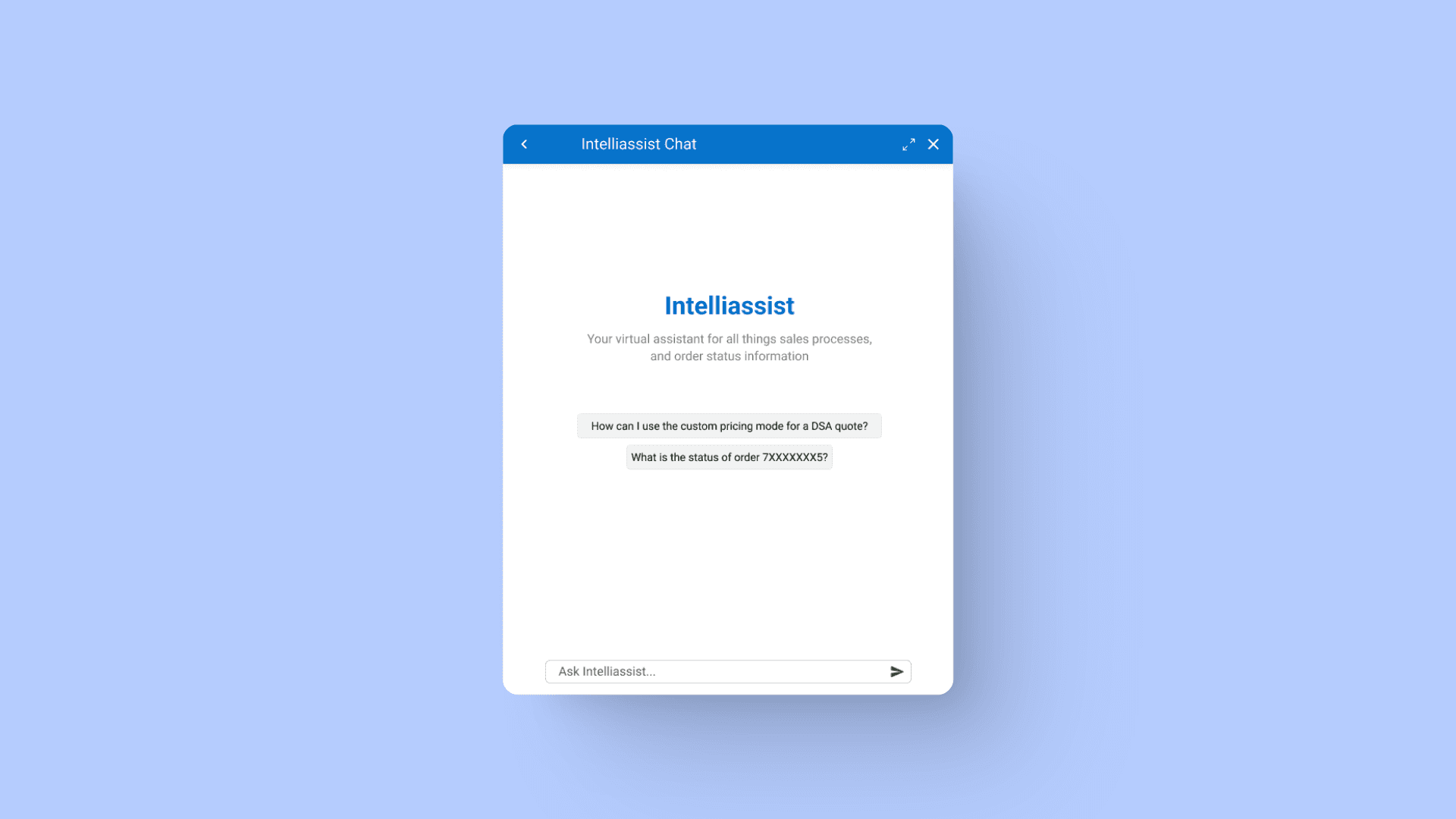
An AI chatbot to unify the answer layer.

IntelliAssist is a GEN-AI assistant that lets Dell employees ask questions in plain language and get verified answers, with the underlying sources surfaced for review. The why is the part most AI projects skip: this is replacing six tools, so trust is the foundation.

💬

What

An AI chatbot that gives Dell employees instant answers to their questions and streamlines access to information that used to be scattered across at least six platforms.

🎯

Why

Employees navigated multiple platforms daily to access sales details and customer data. IntelliAssist consolidates the answer layer, providing instant accurate replies about Dell processes with sources attached for verification.

Research

Five interviews. Four patterns.

I ran in-depth interviews with five Dell employees, sales reps, data analysts, and project managers, to understand their daily workflows, friction points, and the specific moments when the platform sprawl cost them time. Four pain points kept surfacing across roles.

🧩

Fragmented information ecosystem

Constant switching between systems hampered productivity. The information was scattered and the cost of accessing it added up.

"Navigating between so many different platforms to find the information I need is a constant time sink and a major source of frustration." Sales Representative
🌀

Complex and confusing processes

Internal processes (order management, troubleshooting, policy lookups) were hard to navigate. Users couldn't tell where to start or who to ask.

"Some of our internal processes are so complicated that it's hard to know where to start or who to ask for help." Sales Representative
🔎

Time-consuming manual searches

Keyword searches in the knowledge base often returned irrelevant results. Users sifted through long documents to find specific technical details.

"It can take me hours to find the right information, especially when I'm looking for something very specific or technical." Project Manager
🛠️

Desire for self-service support

Users wanted to resolve issues on their own without escalating to colleagues or support teams. Autonomy mattered, especially on tight deadlines.

"I would love to have a tool that could instantly answer my questions, especially when I'm working on a tight deadline." Data Engineer
Research synthesis board mapping the four user pain points to design opportunities
Synthesis, the four pain points mapped to design opportunities
Design Choices

Clarity over hidden complexity.

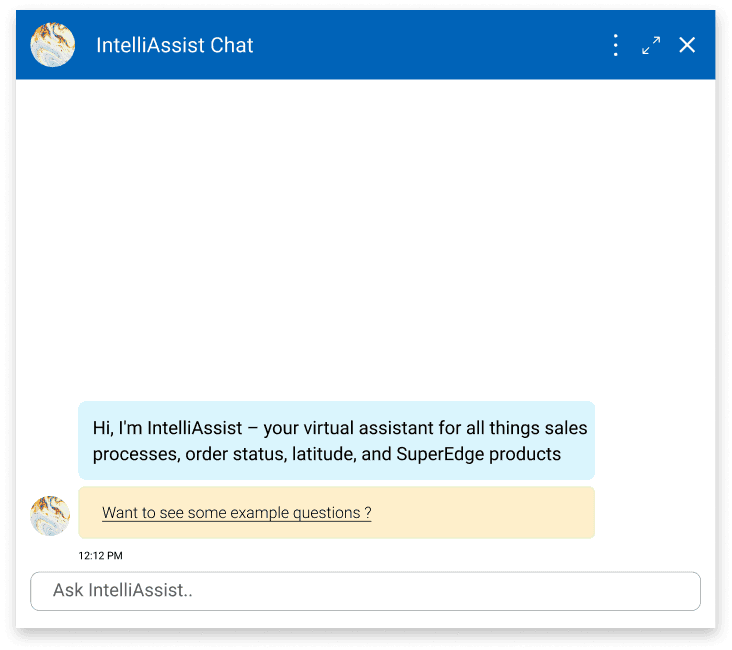
Two interface directions, both viable. I balanced user feedback, brand guidelines, and engineering feasibility, and converged on Option B. The deciding factor: sales reps needed quick answers, not more clicks. Hiding sample prompts behind a tap added an interaction cost they didn't have time for.

Option A

Familiar first impression

  • Looks like other chatbots, low learning curve
  • Clear visual hierarchy
  • Sample questions hidden behind click
  • Higher interaction cost for first-time users
Option B, chosen

Instant discoverability

  • Sample questions visible immediately
  • Brand consistency with Dell's signature colors
  • Denser initial layout
  • Required tuning for cleaner reading pattern

🚨 Balancing business "wants" with user guidance

The business loved the yellow tile for sample questions, so we kept it. Turns out, that pop of color isn't just visual flavor: it guides attention to the right first action without breaking the rest of Dell's brand. A small compromise for a big clarity win.

Side by side comparison of Option A and Option B chat interfaces
Option A versus Option B, side-by-side comparison shown to stakeholders
Final Design

One chat, six tools' worth of answers.

The shipped IntelliAssist focused on three things that mattered for trust: making prompts discoverable, color-coding the conversation so users always know who said what, and attaching sources to every answer so verification takes a click, not a search.

The Solution

Three principles in the interface

01

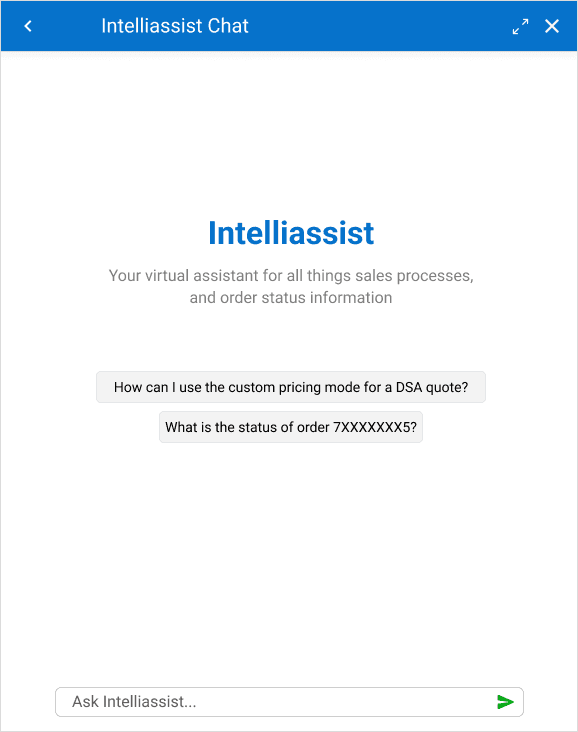
Quick-start prompts in the chat itself

Sample questions sit visibly above the input. Users see what kinds of things they can ask without having to read a tutorial. First-time anxiety drops; adoption climbs.

IntelliAssist chat interface with sample prompts visible at the top of the input area
02

Scannable response templates

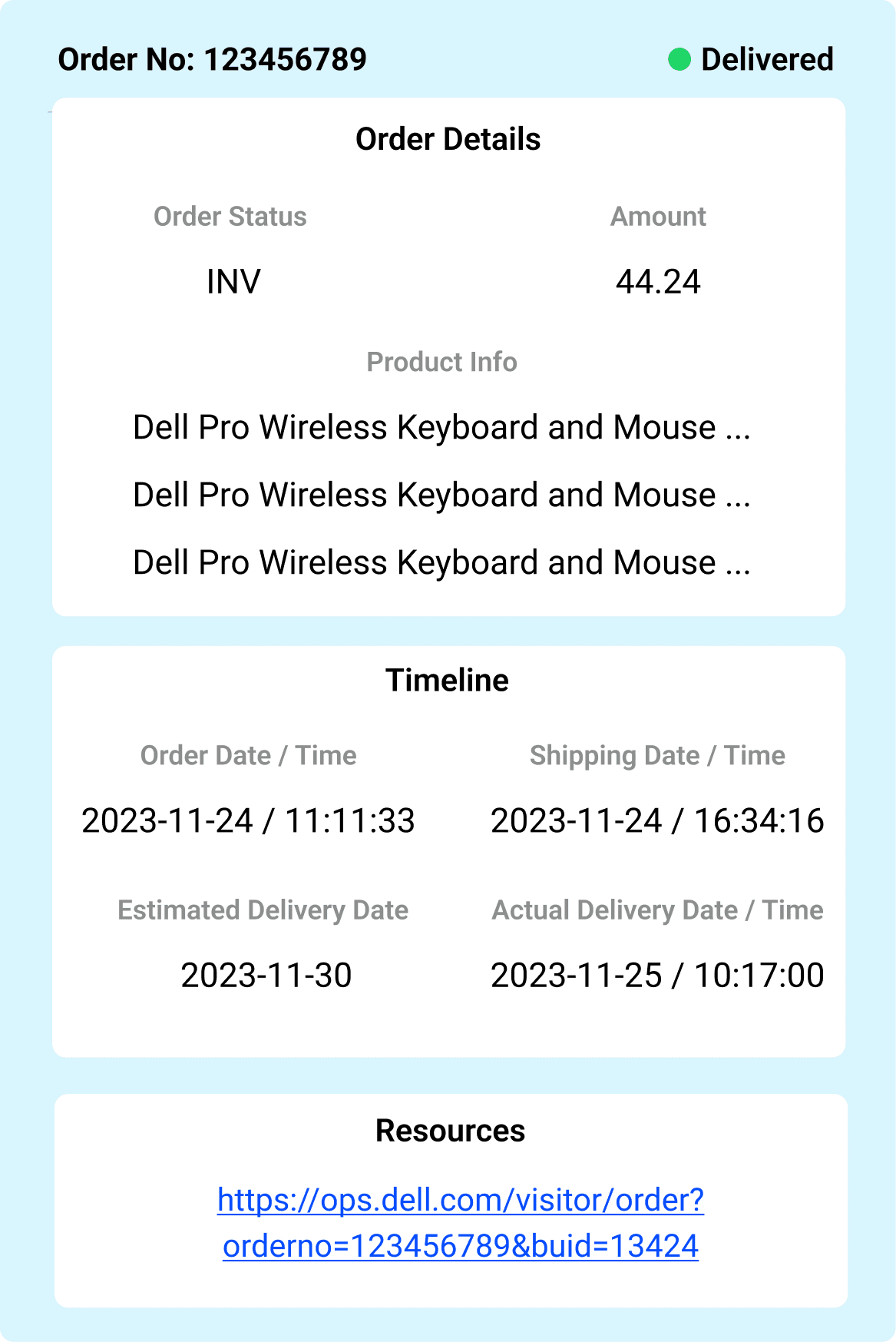
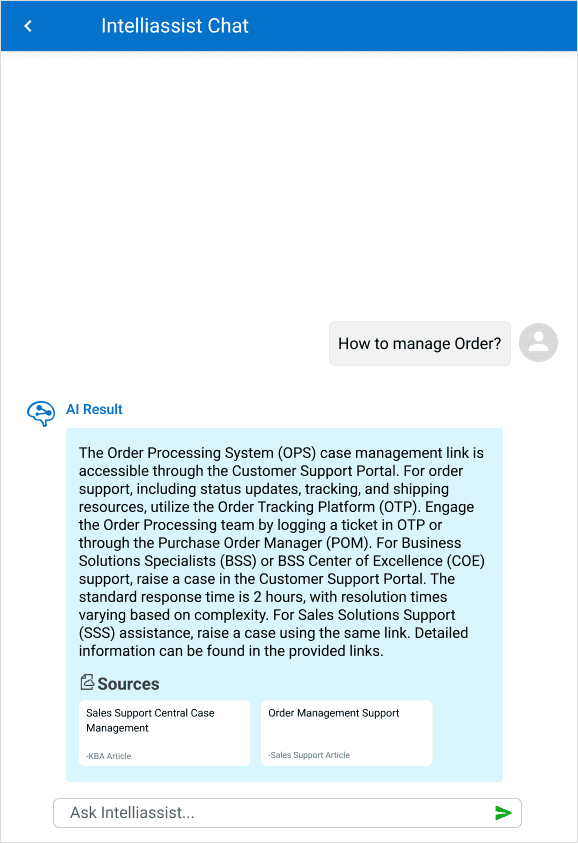
Two patterns shape every response. Conversations are color-coded by speaker (user vs. AI) so the back-and-forth stays readable. And structured replies (like order status) use a custom template that surfaces critical info first: status, key details, progress, then drill-down links. Users assess and move on without re-reading.

IntelliAssist order details response template with status, key data, and progress indicators laid out cleanly
03

Verified answers with sources attached

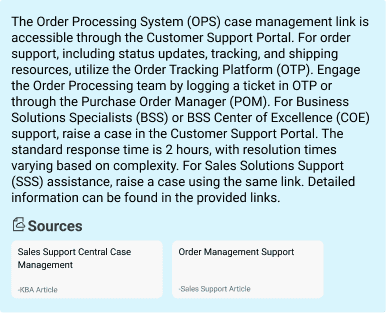
Every AI response surfaces the knowledge base articles and support resources it drew from. Users validate in a click, building trust in the tool over time and learning the underlying systems by following the trail.

IntelliAssist response with linked source articles displayed inline below the answer
Evaluation

Four metrics. All moving the right way.

Initial launch data from pilot groups and post-launch telemetry showed IntelliAssist delivered on the core promises: usability, time savings, self-service, and confidence in the answers. Sampled across two weeks of post-launch traffic and 18 observed workflows.

SUS, sentiment analysis

User satisfaction, early adoption

78 / 100

The pilot group rated IntelliAssist 78 on the System Usability Scale. Most-cited phrase in qualitative feedback: "intuitive guidance," with a noted drop in first-time user anxiety.

Preliminary data from the initial launch phase.
Task log analysis, SME interviews

Workflow efficiency gains

82%

Task completion rate for core workflows (order status checks, policy lookups, troubleshooting). Users saved ~3.2 minutes per task versus manual search.

Sampled across two weeks of post-launch data.
Escalation rate tracking

Self-service momentum

58% / 72%

58% of inquiries resolved without human support on first try. Repeat users hit a 72% self-resolution rate, an early indicator of learnability and growing trust.

Tracked from launch through the first 30 days.
Pre/post-launch surveys, behavioral telemetry

Increased decision confidence

68%

68% of users reported higher confidence in task outcomes when using IntelliAssist versus their previous workflow.

Measured across 18 observed workflows.
Constraints

Navigating real-world limits.

Designing an AI tool inside a Fortune 500 means working around tight timelines, compliance rules, and capability gaps that aren't documented anywhere. Three constraints shaped the MVP scope; I held the line on shipping something that worked for sales reps first, then expanding.

Tight deadlines for impact

Accelerated timelines prioritized MVP delivery over exploratory research.

Focused on high-impact, SME-backed workflows (order status, policy lookup) to align with stakeholder goals.
🔒

Resource & access limitations

Restricted access to cross-departmental users and historical data due to compliance policies.

Leveraged sales-team SMEs as proxies for edge cases and validated designs against existing analytics.
🌫️

Ambiguous requirements

Early-stage AI capabilities lacked clear technical boundaries, creating design ambiguity around what could ship.

Adopted iterative prototyping to align engineering feasibility with user needs in tight loops.

These limits narrowed the initial scope but forced sharper prioritization on features that delivered immediate ROI for sales teams. Future phases will expand validation to address gaps in cross-role adoption (engineering, support) and long-term behavior patterns (90-day retention).

Retrospective

What I took from this.

Two layers of impact that don't show up in the metrics. The work that shaped how I designed it, and the patterns the team kept using after I shipped.

Impact on me

The trust gap is the real design problem in GenAI.

Reps adopted IntelliAssist not because the answers were faster, but because they could see where each answer came from. Designing the source-citation, confidence cues, and recovery paths shaped how I scope every AI feature now. The model is only half the work.

  • 12 SME sessions and shadowing days across enterprise sales
  • 4 prototype rounds before MVP launch
  • What I'd do differently: build the feedback widget on day one, post-launch retrofit slowed iteration
Impact on process

What the next AI team picked up.

IntelliAssist was Dell's first production GenAI surface for sales. The patterns we shipped became the reference set for the v2 redesign and for adjacent AI launches, so the next teams started from this work instead of from scratch.

  • Source-citation pattern adopted across Dell's enterprise AI surfaces
  • SME-as-proxy research framework reused under compliance constraints
  • SUS-plus-shadowing measurement playbook carried into the next two AI launches